

New games























Geo Dash Wave





About Geo Dash Wave
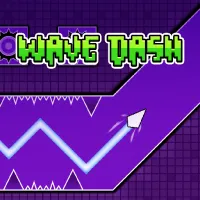
Geo Dash Wave is a rhythm-based arcade game focused entirely on the challenging wave mechanic from Geometry Dash. You control a wave icon that moves upward when you hold the control and downward when you release it. This creates a continuous zigzag flight path through neon levels filled with spikes, saws, walls, moving obstacles, and monsters. The game includes six difficulty-ranked levels, along with a boss level and a practice mode with checkpoints. Diamonds and coins earned during levels can be used in the shop to unlock new arrow designs, trail effects, and color schemes. Rhythm-synced music helps signal upcoming obstacles, while speed portals can change the pace and force quick timing adjustments. Master the zigzag movement and see if you can survive every level in this game!
GAMEPLAY OVERVIEW
Master the Wave Movement
Geo Dash Wave uses a simple hold-and-release control system that creates a continuous zigzag movement pattern. Holding the control sends the wave upward, while releasing it makes the wave move downward. Precise timing is essential because touching spikes, saws, walls, monsters, or other obstacles immediately ends the run. The floor and ceiling are safe, but narrow passages demand accurate movement throughout each level.
Levels, Hazards, and Practice Mode
The game features six difficulty-ranked levels that gradually demand greater control of the wave mechanic. Early stages help you learn the movement rhythm, while later stages require much more precise timing. Moving obstacles, monsters, tight spaces, speed portals, and a boss level add different challenges along the way. Practice mode allows you to place checkpoints and repeatedly rehearse difficult sections before attempting a complete run.
Rewards and Customization
Diamonds and coins collected during levels can be used in the shop for customization options. You can unlock new arrow designs, trail effects, and different color schemes for your wave. Rhythm-synced music also plays an important role because obstacles are timed with the beat. Instant restarts let you quickly begin another attempt after crashing.
Control Guide
Desktop Controls
Left Mouse Button: Hold to rise, release to dive
Spacebar: Hold to rise, release to dive
Up Arrow: Hold to rise, release to dive
Mobile Controls
Touch and Hold: Rise
Release: Dive
SIMILAR GAMES
Discuss Geo Dash Wave