

New games
























Geometry Arrow 2






About Geometry Arrow 2
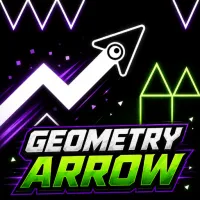
Geometry Arrow 2 expands the original cave-running challenge by introducing the Wheel as a new playable form alongside the returning Arrow. The core objective remains unchanged: navigate through the cave, avoid every obstacle in your path, and survive long enough to reach the portal waiting at the end. Each of the 13 levels now combines Arrow and Wheel segments, creating mixed courses where the playable form changes as you progress through different sections. Massive geometric structures built from white squares and triangles fill the black surroundings, while glowing rings, orbs, and other elements appear throughout the central path. The levels vary in difficulty, providing increasingly demanding obstacle sequences as you work through the complete set. Customization has also been expanded beyond the original experience, allowing you to change the appearance of the arrow and ball as well as game particles and block textures. Master both playable forms, clear all 13 caves, and keep your run alive until the final portal comes into view!
GAMEPLAY OVERVIEW
Guide the Arrow Toward the Portal
Geometry Arrow 2 sends you through cave-like courses packed with unique geometric obstacles that must be avoided on the way to the exit. The Arrow returns as one of the two playable forms, with the left mouse button or Spacebar controlling its movement on PC and touchscreen input handling movement on mobile devices. Regardless of the level you select, reaching the portal at the far end without getting hit remains the central objective of every run.
Adapt to Arrow and Wheel Segments
The Wheel is the biggest new addition to the sequel, joining the Arrow and changing the structure of the game's obstacle courses. Every one of the 13 levels contains both Arrow and Wheel segments rather than focusing on a single playable form from beginning to end, requiring you to handle both sections on the route toward the portal. Levels also vary in difficulty, so progressing through the set introduces different challenges while keeping survival and precise navigation at the center of each attempt.
Customize the Geometric Experience
Customization options let you adjust several visual elements as you continue working through the game's levels. The appearance of the arrow and ball can be changed, while game particles and block textures can also be customized to give the geometric environments a different look. These options add visual variety without changing the fundamental objective of navigating each mixed Arrow-and-Wheel course and safely reaching its portal.
Control Guide
PC
- Left Mouse Button / Spacebar: Arrow movement
- Escape: Exit the level
Mobile
- Touch the Screen: Arrow movement
SIMILAR GAMES
Discuss Geometry Arrow 2