

New games






















Geometry Wave: Online Editor






About Geometry Wave: Online Editor
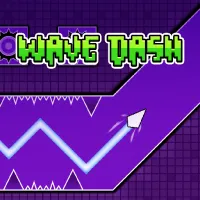
Geometry Wave: Online Editor turns the Wave mode from Geometry Dash into a standalone precision challenge built around demanding obstacle courses, community creations, and a full level editor. More than 65 levels are included from the start, each requiring you to guide the wave through hazards and reach the finish line without losing control. The built-in editor greatly expands the available challenges by letting you design your own levels, upload them for other players, and explore stages created by the community. Community levels can also be rated after you play them, connecting level creation with a constantly expanding selection of player-made courses. Completing levels rewards stars, coins, and crystals, with crystals providing resources for the store and editor as you continue progressing. Practice Mode makes particularly difficult sections easier to learn by allowing checkpoints to be placed and removed during an attempt, while the in-game "i" icons provide additional details about individual elements. Master the sharp wave movement, conquer the toughest courses, and turn your own obstacle ideas into levels for other players to challenge!
GAMEPLAY OVERVIEW
Control the Wave Through Every Obstacle
Geometry Wave: Online Editor revolves around a simple movement system that demands increasingly precise timing as obstacles become harder to navigate. Holding W, Space, the Up Arrow, or the left mouse button makes the wave fly upward on PC, while releasing the control immediately sends it downward; mobile players use the same hold-and-release mechanic directly on the screen. Reaching the finish line requires you to repeatedly alternate between these two directions while keeping the wave clear of every obstacle along its path.
Practice Difficult Sections With Checkpoints
Practice Mode can be activated from the pause menu when a level contains sections you want to learn without repeatedly starting the entire course from the beginning. PC players can press Z to place a checkpoint and X to remove one, while mobile players use dedicated checkpoint and cross buttons for the same functions. This system lets you focus on troublesome obstacle sequences, refine the timing needed to pass them, and prepare for a complete run once you understand the route.
Create and Explore Community Levels
Beyond the 65+ included levels, the built-in editor lets you construct original challenges and upload your creations for other players to attempt. You can also browse community-made courses, play them, and leave ratings afterward, making player-created content a major extension of the available level selection. Successful level completion awards stars, coins, and crystals, with crystals usable in both the store and editor as you continue playing and creating.
Control Guide
PC
- W / Space / Up Arrow / Left Mouse Button – Hold: Fly upward
- Release: Fly downward
- Z: Place a checkpoint in Practice Mode
- X: Remove a checkpoint in Practice Mode
Mobile
- Hold Finger on Screen: Fly upward
- Release Finger: Fly downward
- Left Checkpoint Button: Place a checkpoint in Practice Mode
- Right Cross Button: Remove a checkpoint in Practice Mode
MORE GAMES
Discuss Geometry Wave: Online Editor