

New games















Geometry Vibes 2
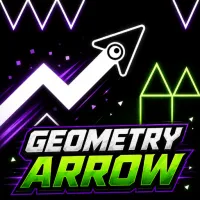
About Geometry Vibes 2
Geometry Vibes 2 brings reaction-based arcade obstacle gameplay to courses filled with spikes, walls, traps, and narrow openings. Precise climbs and descents are central to guiding the arrow through each level without crashing. Classic Mode expands the challenge to 20 increasingly difficult levels, while the renewed Infinity Mode offers another way to push your reflexes. Online multiplayer lets you compete against a random opponent or enter a private room with a friend, and local Race Mode supports two, three, or four players on one device. Coins collected during gameplay and earned through level progression can be used to unlock customization options, including 24 arrow skins and 16 trails that work with custom colors. Touch controls also make the game playable on phones and tablets alongside the browser-based experience. Master every rise and fall, customize your arrow, and race through the hazards to reach the finish portal first!
GAMEPLAY OVERVIEW
Navigate Spikes, Walls, and Tight Openings
Controlling the arrow comes down to carefully managing its upward and downward movement. Holding the Left Mouse Button or Space sends the arrow upward, while releasing the input causes it to move downward. Quick taps produce smaller movements, whereas longer holds make the arrow climb higher. Reaching the end requires accurate timing to pass spikes, walls, and other obstacles without making contact.
Progress Through Classic and Infinity Modes
Classic Mode in Geometry Vibes 2 features 20 levels that increase in difficulty as you advance, expanding on the original game's 10-level count. Infinity Mode replaces the original Endless Mode and provides another challenge centered on seeing how far your reflexes can take you. During gameplay, coins can be collected or earned by progressing through levels. These coins can then be spent on 24 arrow skins and 16 trails, which can be combined with custom colors.
Compete Online or Race Locally
Online multiplayer puts you in direct competition with either a random opponent or a friend through a private room. The goal is straightforward: complete the level before your opponent does. Local Race Mode instead allows two, three, or four players to compete together on the same device. Dedicated inputs are assigned to each local player while keeping the same single-action movement at the center of the race.
Control Guide
Left Mouse Button / Space: Hold to fly upward
Release Left Mouse Button / Space: Move downward
Short taps: Make small movements
Longer holds: Climb higher
Player 1 – Left Mouse Button / Space: Control Player 1
Player 2 – Up Arrow: Control Player 2
Player 3 – H: Control Player 3
Player 4 – L: Control Player 4
SIMILAR GAMES
Discuss Geometry Vibes 2