

New games













Geometry Vibes X Arrow
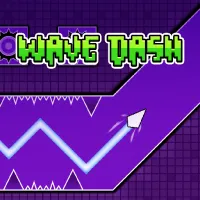

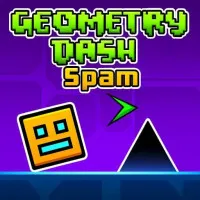
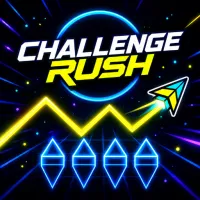


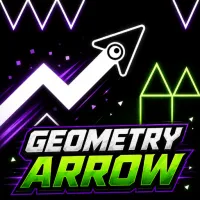
About Geometry Vibes X Arrow
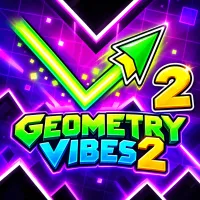
Geometry Vibes X-Arrow brings arcade obstacle gameplay to courses where a glowing arrow must weave past spikes, walls, and other hazards. Simple one-touch movement sends the arrow upward while holding the input and downward when it is released. Reaching the portal without crashing requires accurate timing and steady control, since hitting an obstacle restarts the level. Five gameplay modes offer different challenges, ranging from 10 handcrafted Classic levels and fast-tapping Spam Mode to Endless and Challenge modes. Local multiplayer also supports races with up to three friends using the same keyboard. Different arrow shapes, colors, and neon effects provide additional customization options throughout the experience. Guide the glowing arrow through every hazard and make your way safely to the portal!
GAMEPLAY OVERVIEW
Guide the Arrow Past Every Hazard
Geometry Vibes X-Arrow centers on controlling a glowing arrow through courses packed with walls, spikes, and other obstacles. Holding the input makes the arrow fly upward, while releasing it sends the arrow downward. A single collision restarts the current level, making precise movement important when passing through tighter sections. The main objective is to avoid the hazards and reach the portal at the end.
Choose From Five Different Modes
Classic Mode includes 10 handcrafted levels that gradually introduce faster speeds and tighter obstacle layouts. Spam Mode focuses on rapid tapping and maintaining a steady rhythm while walls close in around narrow gaps. Endless Mode becomes faster and introduces new obstacles as you attempt to improve your best distance. Challenge Mode adds five difficult levels featuring TNT and other dangerous obstacles.
Race Friends and Customize Your Arrow
Multiplayer Mode allows up to three friends to compete locally on the same keyboard, with different controls assigned to each player. These races use the same one-touch movement while turning the obstacle courses into direct competition. Customization includes different arrow shapes, colors, and neon effects. These options let you change the appearance of the glowing arrow while playing across the available modes.
Control Guide
Left Mouse Button / Spacebar / Up Arrow: Hold to fly up; release to move down
Touch Screen: Touch and hold to fly up; release to descend
H / L / Up Arrow: Multiplayer controls for different players
SIMILAR GAMES
Discuss Geometry Vibes X Arrow